
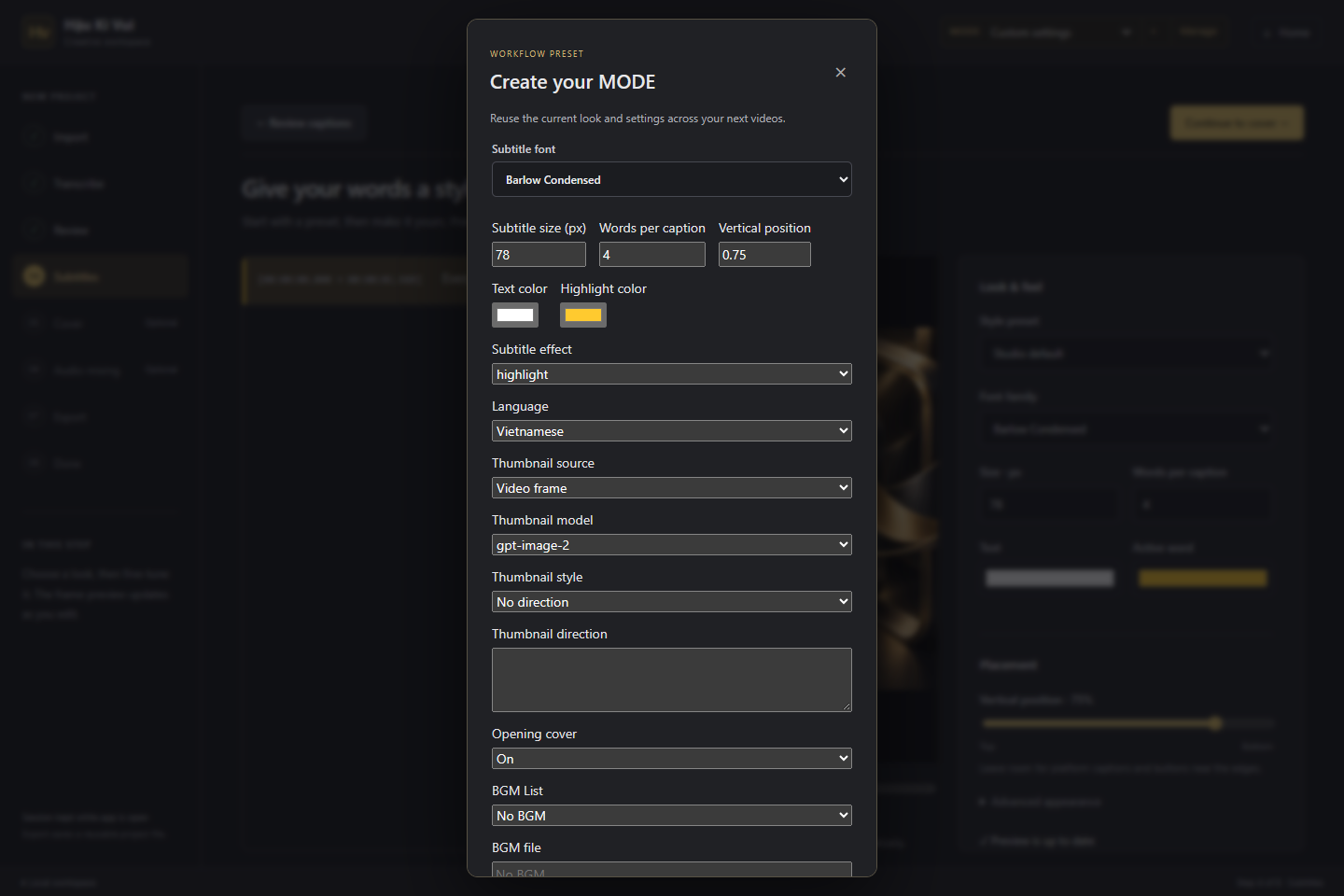
Keep the settings that work.
Save a MODE to bring settings into your next project. You still review each video's content, timing and changes.
 Hậu Kì Vui / Windows x64
Align captions to your approved script, create a cover, mix music and sound effects, then export your video and a reusable project.
Find available releases and access in your app library.
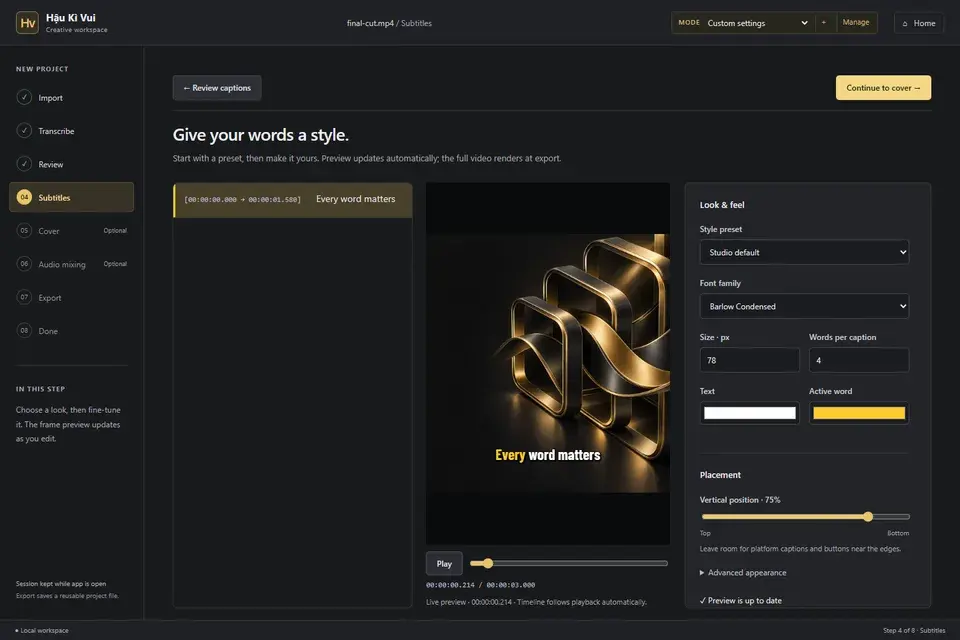
ONE CONNECTED WORKFLOW
Your source video and approved script.
Transcribe, align timing and check each passage.
Choose a style, color and position in the frame.
Choose a frame and arrange your text.
Balance voice, music and sound effects.
Save your video, captions and project.
CAPTIONS
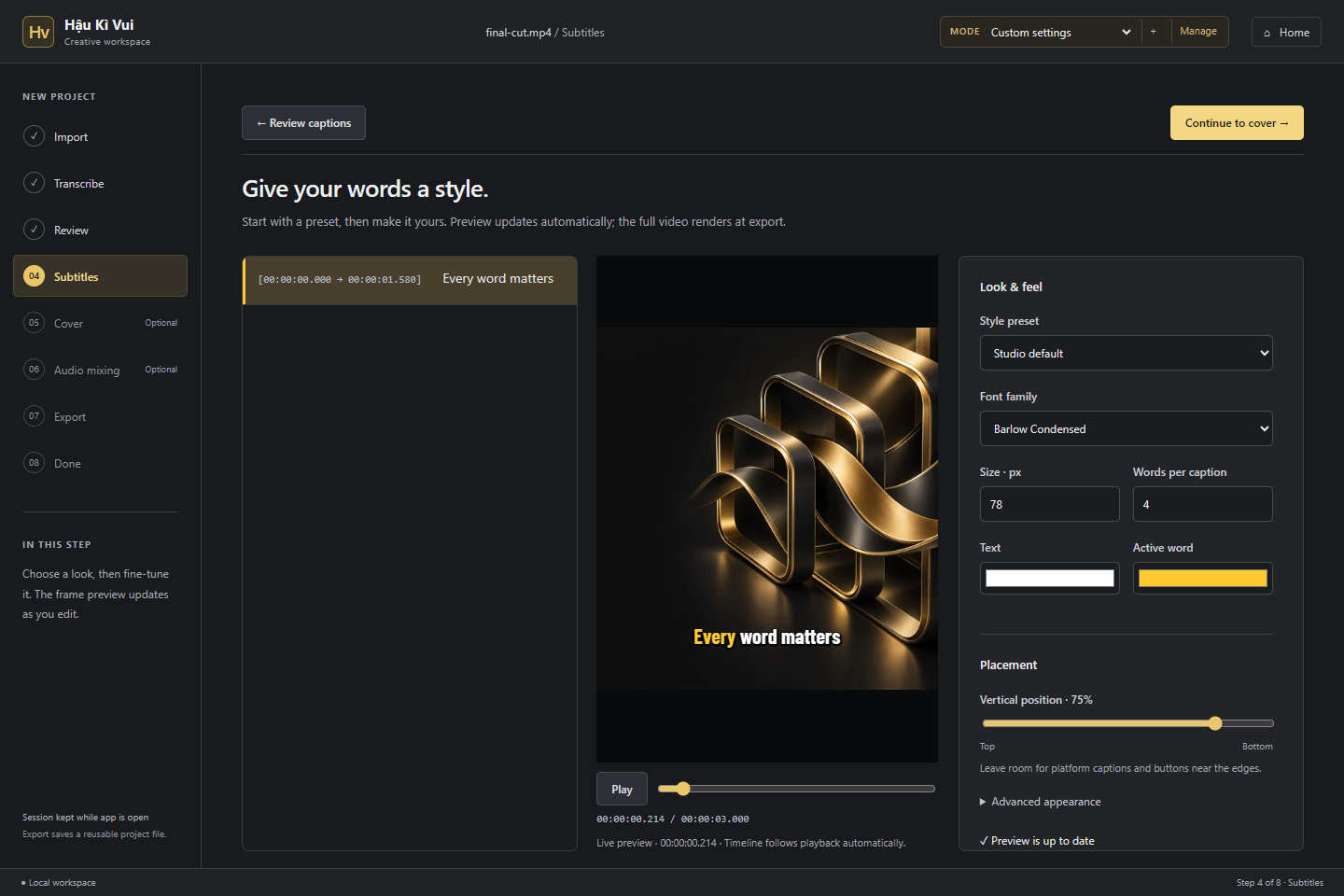
Use the approved script to review wording and timing. Adjust type, placement and color in the inspector, then preview the frame before rendering.
Save a MODE to bring settings into your next project. You still review each video's content, timing and changes.
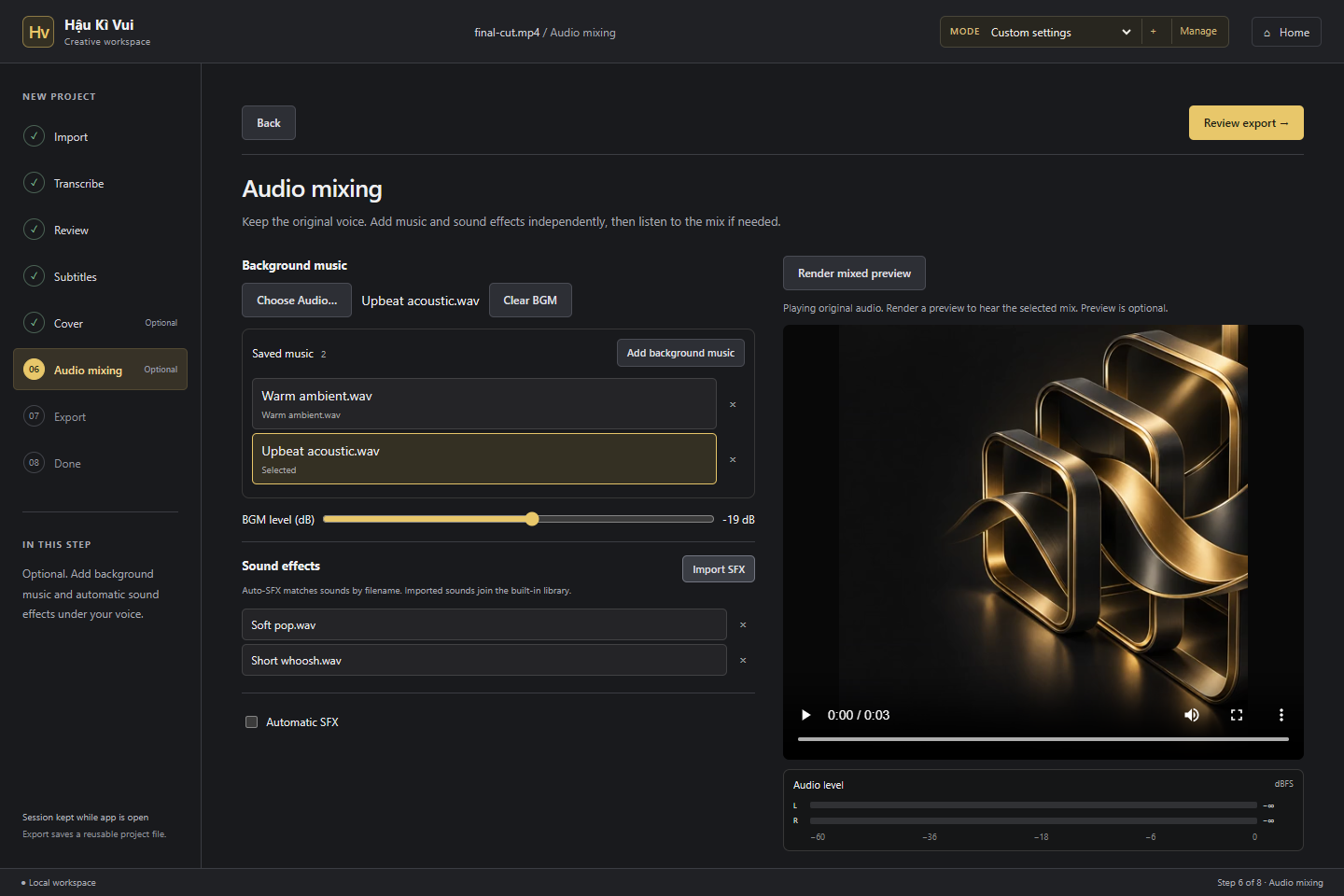
Use your own BGM and SFX libraries, balance levels and preview the mix before exporting.
Export MP4 for sharing, SRT for separate captions and .postproj to reopen your work. When replacing a source video, check relinking and timing before exporting again.
Open a video, follow the steps and preview before export. No terminal commands or coding agent are required for the desktop interface.
Use a compatible CLI with your own account. Setup only offers to install Antigravity when Claude Code, Codex and Antigravity are absent. API usage and compute are separate costs.
APP ACCESS
Sign in to check trial eligibility and releases available to your account. Your app license is separate from any AI services you choose.
Free trial · 0 VND
Use Windows x64 and follow the release setup guide. First use may require model downloads; download and processing times depend on your machine and connection.
Use the wizard directly without a terminal. CPU processing is available; check setup guidance for each model. A coding agent is optional and uses your own account.
Local steps run on your machine. If you select a cloud service for an operation, the selected inputs go to that service; review the configuration before sending them.
No. API usage, compute and provider accounts are separate costs. Saving a MODE stores settings for your next project.
A .postproj keeps settings for reopening. Relinking checks the audio; review timing before exporting a replacement video.
Open your app library to see your account status and available releases. A license covers one PC; device transfer and recovery go through support. Your exported files remain yours after expiry.