
Arrange and compare
Move and resize media on the canvas. Select a file to locate it in the tree; use Storage boards and Moodboards for assets and references.
 Creatives Kit / Windows x64
Work with coding agents in Project Chat, arrange media on a board and follow jobs from engine to output on Windows.
Agent accounts, API usage and compute cost extra.
FROM CONTEXT TO OUTPUT
Choose a folder and gather the assets you need.
Bring context into Project Chat through your own coding CLI.
Agents submit media work through MCP; check the queue and status.
Open your media, inspect it and choose the next step.
PROJECT CHAT
Projects have their own chat tabs and history. Choose a coding agent, model and configuration, read its explanation and follow tool activity inside the workspace.
Explorer opens a folder tree and file previews so you can check context. Switch to Terminal when you need the command line. Agents use installed CLIs and your sign-in; you control file-editing permissions.
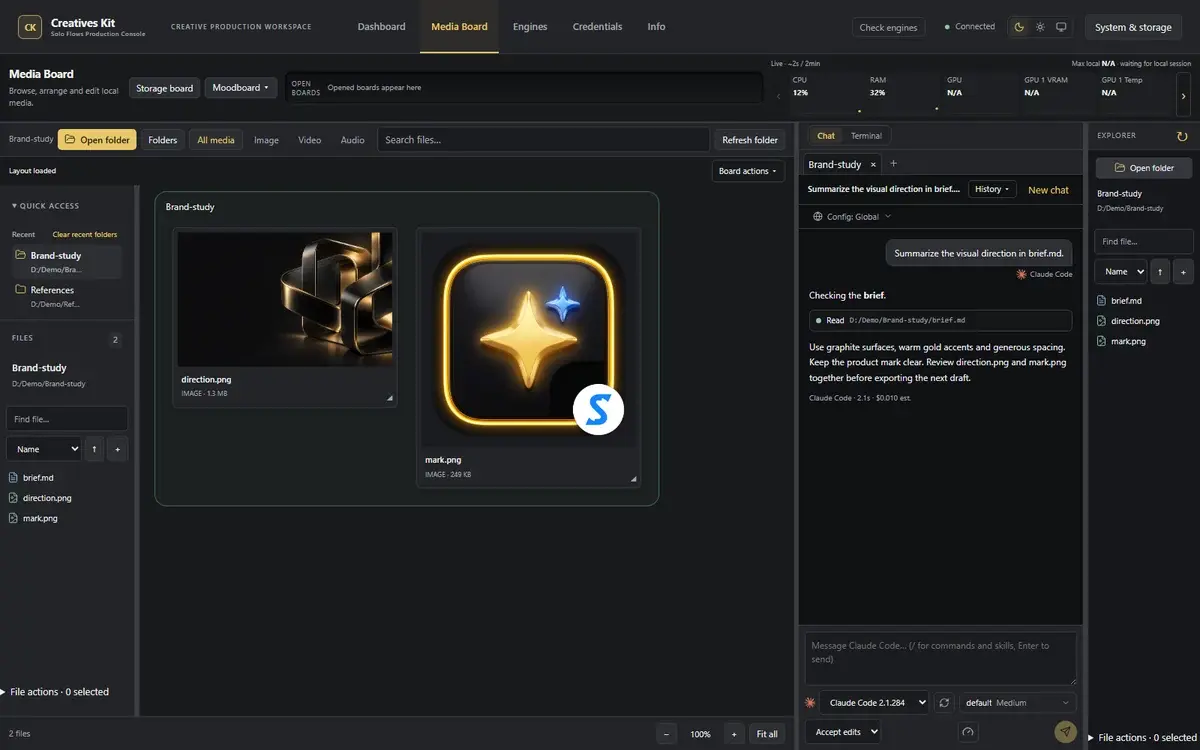
The Media Board canvas and tree share your selected folder. Choose light, dark or system appearance.
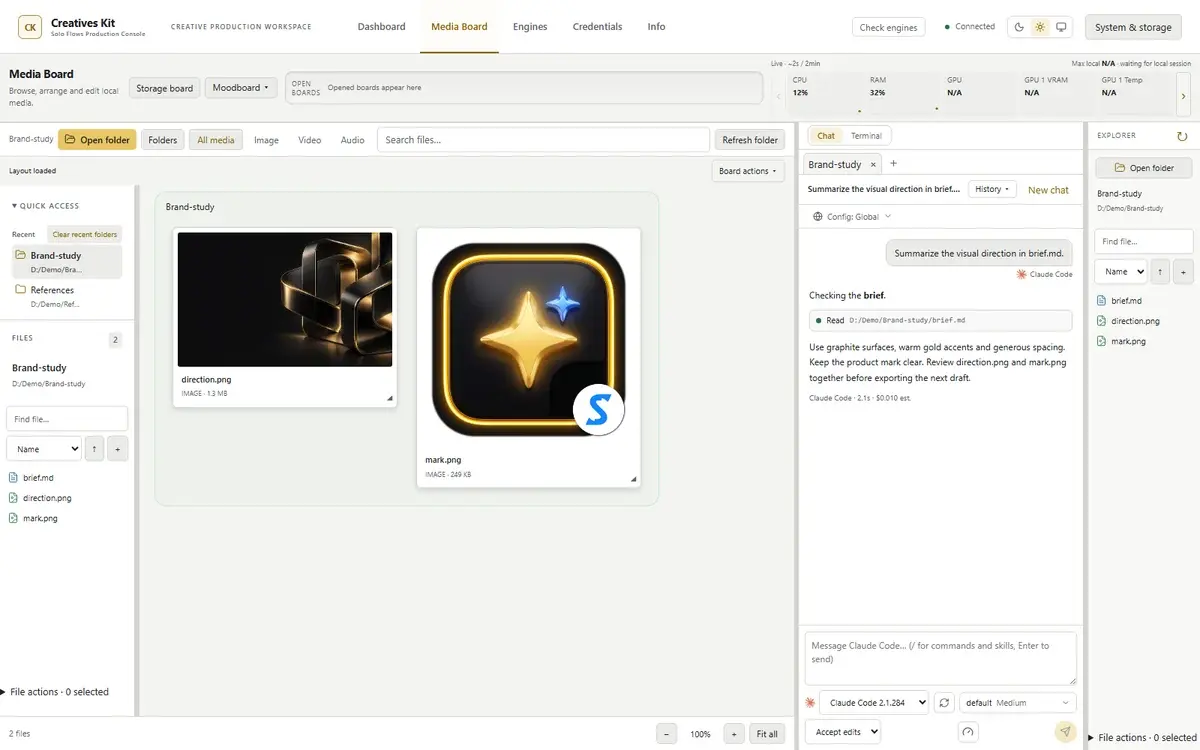
Actual interface with demo data. Chat, machine statistics and jobs are synthetic, not a live provider session.
View original imageMove and resize media on the canvas. Select a file to locate it in the tree; use Storage boards and Moodboards for assets and references.
Preview images, play video or audio and open detailed inspection in the desktop app. Local editing tools preserve originals; file edits by a coding agent follow the separate permissions you grant.
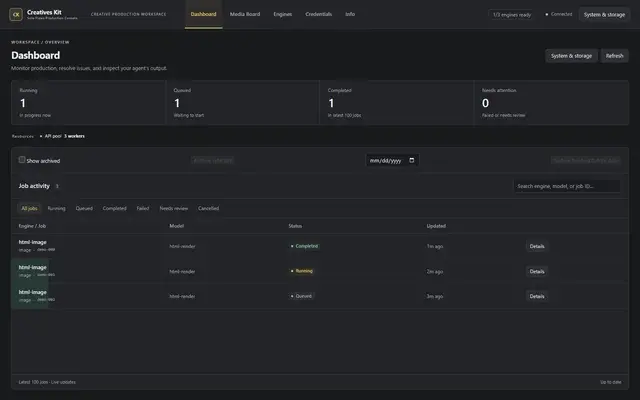
Actual interface with demo data. Chat, machine statistics and jobs are synthetic, not a live provider session.
View original imageFollow queued, running, succeeded or failed work in the console. Review results and errors before continuing.
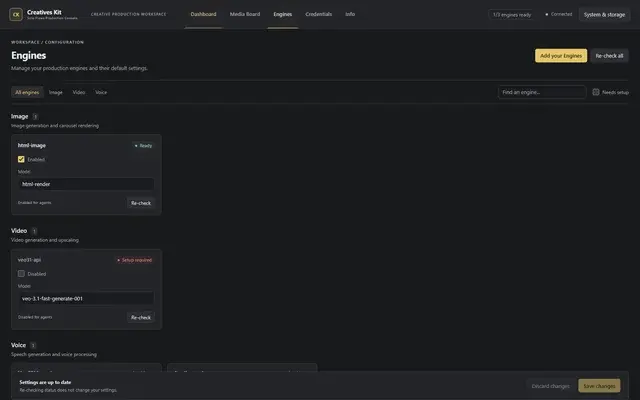
Actual interface with demo data. Chat, machine statistics and jobs are synthetic, not a live provider session.
View original imageSee enabled engines, models and missing dependencies. Bring your own accounts and check setup before submitting work.
Actual interface with demo data. Chat, machine statistics and jobs are synthetic, not a live provider session.
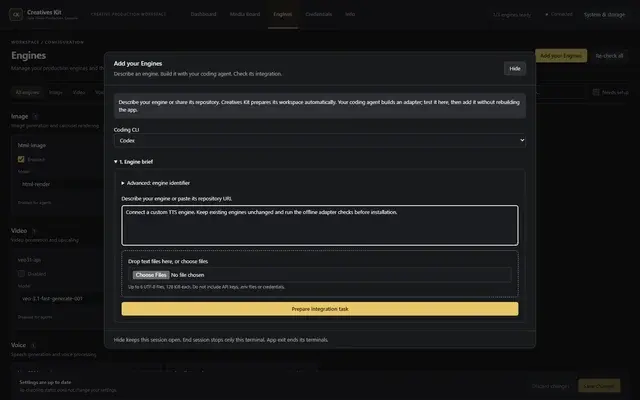
View original imageDescribe an engine or provide its repository to prepare the adapter structure and input/output checks. Review its source and trust before installation. This onboarding flow does not require editing or rebuilding Creatives Kit.
New engines are installed disabled. Configure your account and check provider usage rights before enabling one; adapter checks are not security or commercial-rights certification.
Use Windows x64 and follow the release setup guide. Install and sign in to your chosen coding CLI; setup only offers Antigravity when Claude Code, Codex and Antigravity are absent.
You can choose a runtime drive other than C by following setup guidance. The app price excludes API usage, compute and agent subscriptions; cloud engines receive the inputs you submit for their jobs.
APP ACCESS
Sign in to check trial eligibility and downloads available to your account. Review pricing and terms before choosing paid access.
Free trial · 0 VND
It is an interface for coding agents through CLIs installed on your machine, using your own sign-in. Agents can read and edit files with your permission; media jobs go through MCP to configured engines.
Project Chat is the default workspace mode. Switch to Terminal when you need your familiar command-line workflow. Your coding CLI still needs to be installed and signed in.
No. API usage, compute, quotas and coding-agent subscriptions are separate costs, depending on your chosen services. You manage your accounts and connection details.
The board browses media in local folders. Cloud engines receive the inputs you submit for their jobs. Review engine settings and agent permissions before running work; not every operation is offline.
Add your Engines helps prepare, check and install an adapter. New engines are installed disabled; review the source and configure your account before enabling one. Adapter checks do not grant provider access or usage rights.
Open the Creatives Kit library to check trial eligibility and releases available to your account. A license covers one PC, with transfer and recovery support. Your saved files remain yours after expiry.